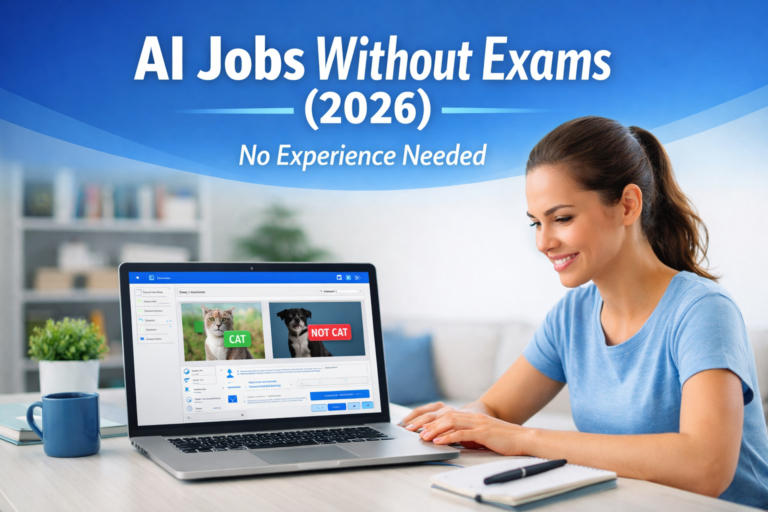
🚀 AI Data Labeling Work From Home Setup Guide (2026 Beginner Blueprint)
✍️ Introduction
If you’re starting AI data labeling jobs, most guides talk about what the job is or how to apply.
But almost nobody explains how to actually set up your workspace for maximum earnings.
👉 This guide is different.
📚 In this Guide, You’ll Learn
• The exact setup top earners use
• Tools that increase your speed (and income)
• Mistakes beginners make that slow them down
🧠 Why Your Setup Matters More Than You Think
AI data labeling is a speed + accuracy game.
Even a small improvement in your setup can:
• Increase task completion rate
• Reduce rejection rates
• Boost monthly income significantly
👉 If you’re new, first understand:
https://remotebridgeai.com/what-is-ai-data-labeling/
💻 1. Minimum System Requirements (Don’t Ignore This)
You don’t need a high-end PC, but this is the ideal baseline:
• RAM: 8GB minimum (16GB recommended)
• Internet: Stable 20+ Mbps
• Browser: Chrome or Edge (latest version)
• Device: Laptop > Mobile (always)
👉 If you’re just starting, read:
https://remotebridgeai.com/start-ai-data-labeling-jobs-no-experience/
⚙️ 2. Must-Have Tools for Faster Work
Here are tools most beginners don’t use (but should):
🔹 Productivity Tools
• Grammarly (for text tasks)
• Auto Text Expander (save repeated phrases)
• Screenshot tools (for image labeling)
🔹 Browser Extensions
• Dark mode (reduces eye strain)
• Tab manager (for multitasking)
👉 These tools directly impact how much you earn.
👉 Want to maximize income faster?
https://remotebridgeai.com/increase-ai-data-labeling-earnings-fast/
⏱️ 3. Best Work Routine for Maximum Earnings
Instead of working randomly, follow this:
👉 Ideal Daily Structure:
• 2–3 focused sessions (1–2 hours each)
• Break after every 45–60 mins
• Work during peak task hours (evening/night)
👉 Consistency beats long hours.
👉 Learn how payments work here:
https://remotebridgeai.com/ai-jobs-payment-daily-weekly-monthly/
🧾 4. Choose the Right Platforms (Critical Step)
Not all platforms are equal.
Some are better for beginners, others for high pay.
👉 Start with:
• Appen
• TELUS AI
• OneForma
• Remotasks
👉 Compare them here:
https://remotebridgeai.com/appen-vs-telus-vs-oneforma-vs-dataforce/
🚫 5. Common Setup Mistakes That Kill Your Earnings
Avoid these at all costs:
• Using mobile instead of laptop
• Slow internet connection
• Working without reading guidelines
• Ignoring qualification exams
• Multitasking too much
👉 If you’re struggling to get jobs:
https://remotebridgeai.com/why-you-are-not-getting-ai-jobs/
💰 6. Real Earning Potential With Proper Setup
With the right setup + consistency:
💰 Beginners: $50–$150/month
💰 Intermediate: $200–$500/month
💰 Advanced: $500+
👉 See real proof here:
https://remotebridgeai.com/ai-data-labeling-earnings-30-days-case-study/
🔐 7. Stay Safe While Working Online
Always protect yourself from scams.
• Never pay for jobs
• Avoid fake Telegram offers
• Use official platforms only
👉 Full guide:
https://remotebridgeai.com/ai-data-labeling-job-scams/
🎯 Final Thoughts
Most people fail in AI data labeling not because of lack of jobs — but because of poor setup and workflow.
👉 If you fix these:
• Your speed improves
• Your accuracy increases
• Your earnings grow
👉 Start exploring legit opportunities:
https://remotebridgeai.com/ai-remote-jobs-legit/
🔥 BONUS TIP
👉 Want to skip exams and start faster?
https://remotebridgeai.com/ai-jobs-without-exams/